Spring hits and every customer wants an estimate this week.
Landscaping is seasonal and fast. In spring you're bidding installs, cleanups and maintenance contracts all at once while your crews are already out mowing. The estimates you write at night are the ones that fall through the cracks.
Most small landscaping companies keep customers in their phone, quotes in a notebook and crew hours on a whiteboard. It works until it doesn't, and then a $4,000 patio install goes to the company that called back first.
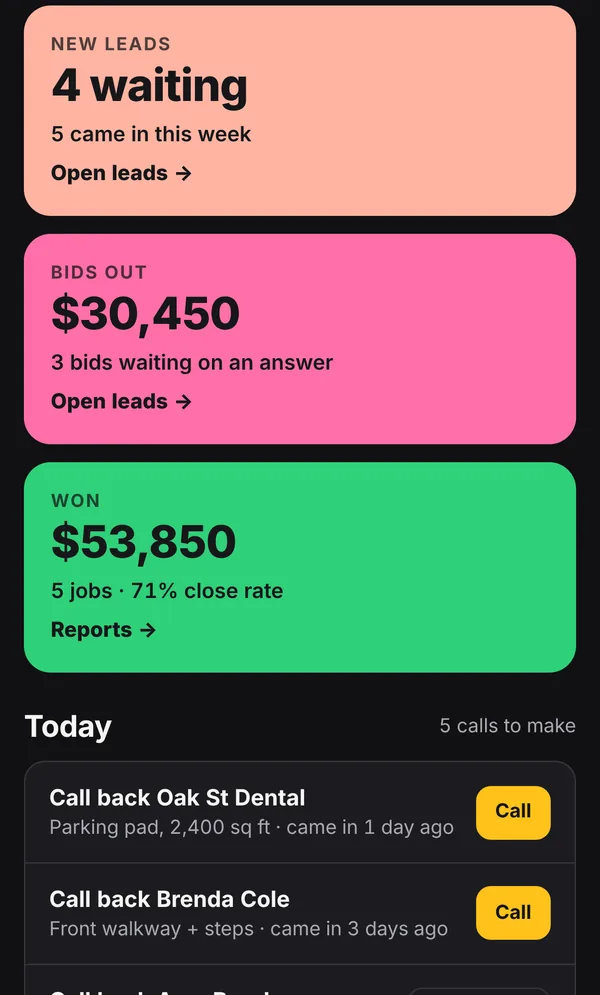
Lead Lock AR puts every lead and estimate in one list and tells you each morning who's waiting to hear back. If you want it, the Operations Manager adds a crew time clock and job costs, so you know which jobs made money.
What it does for a landscaping business
- Every estimate in one list. Installs, hardscapes, cleanups and maintenance bids, each marked new, bid sent, won or lost.
- A Today list. Who to call back and which estimates need a nudge, so spring leads don't go cold.
- Send the quote from your phone. Text or email the price right after the walk-through.
- A job-request link. Customers request work from a link on your Facebook page or website, and it lands in your list.
- Invoices with your own pay link. Bill when the job's done and get paid the way you already take payments.
- Review requests. Ask for a Google review with one tap after a finished install.
- Crew time clock. In the Operations Manager, crew members clock in with a 4-digit PIN on their phone or a shared tablet.
- Job costs and profit. In the Operations Manager, see labor and materials against what you charged on every job.
Need jobs, a crew time clock and job costs too? That's the Operations Manager, $119 a month. Up to 15 crew members are included either way.
How a spring week looks with it
Calls and messages go on the list as they come in. Between mows you walk two properties and send both estimates before you leave. Each morning the Today list shows the quotes that haven't heard back, so you make three calls and close one. The crew clocks in on the shared tablet, and at the end of the week you can see the hours and labor cost for every job.
Just want the lead list? Start with the $59 CRM and add the Operations Manager later. Nothing you've entered is lost.
Click around before you decide
The demo is the real app with a sample contractor's data: leads, bids, jobs and a crew time clock. One tap to get in, no sign-up and no card.
Questions landscapers ask
Does it do route planning or recurring mowing schedules?
Not yet. It's built around leads, estimates, jobs, crew hours and job costs. If route optimization for a big maintenance route is the main thing you need, a dedicated lawn-care routing app may fit better.
Can my crew clock in without their own login?
Yes. In the Operations Manager, crew members clock in with a 4-digit PIN you assign, on their own phone or one shared device.
How many crew members are included?
Up to 15 at the flat price, then $5 a month for each extra person.
What does it cost?
The CRM is $59 a month and the Operations Manager is $119 a month, plus a one-time setup fee. Your first month is free and there's no long contract. See the pricing page.
Also built for: Concrete contractors · Roofing companies, and other small trades.